SurgeryWeb Support Centre
Scheduling a News Post
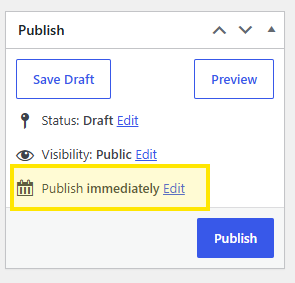
If you would prefer your news post to be published at a later date or time, click Edit next to Publish immediately.
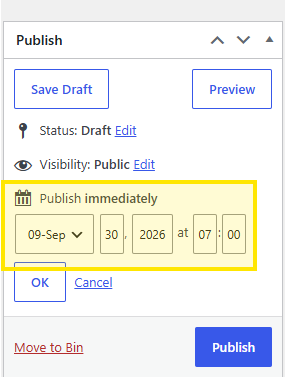
Choose the date and time you would like the post to be published, then click OK.
Click Publish to confirm the schedule.
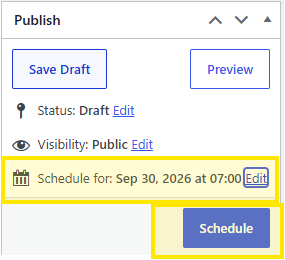
You will then see the scheduled publication date and time displayed. Click Schedule to confirm.
Was this helpful? Give it a thumbs up!