
SurgeryWeb Support Centre
Adding images and documents to the Media Library
To add an image or document for use in an article, go to Uploaded Items. This opens your Media Library, where your uploaded files are stored.
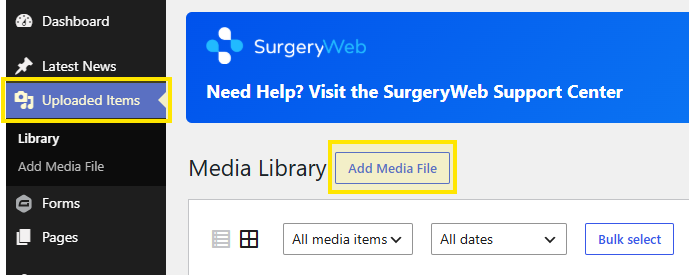
Select Add Media File. You can then:
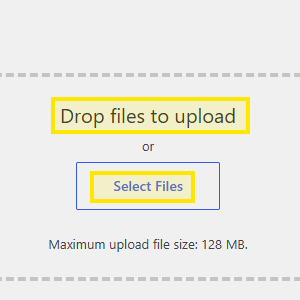
- Drag and drop one or more files from your desktop or a folder.
- Select Files to browse your computer and choose the files you want to upload.
Was this helpful? Give it a thumbs up!