SurgeryWeb Support Centre
Expander Box
The Expander Box allows you to display information in a collapsible section, helping to keep your page organised and easy to navigate.
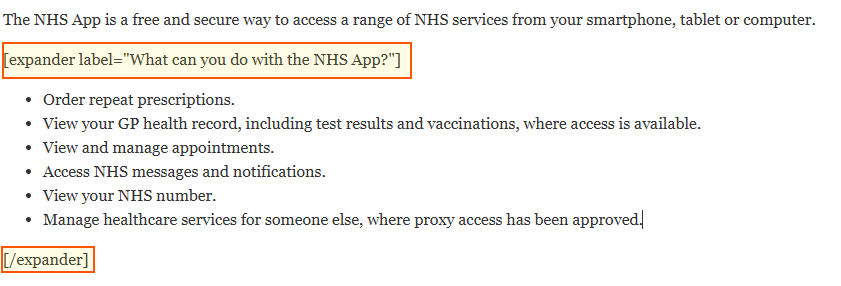
For example, the following content:
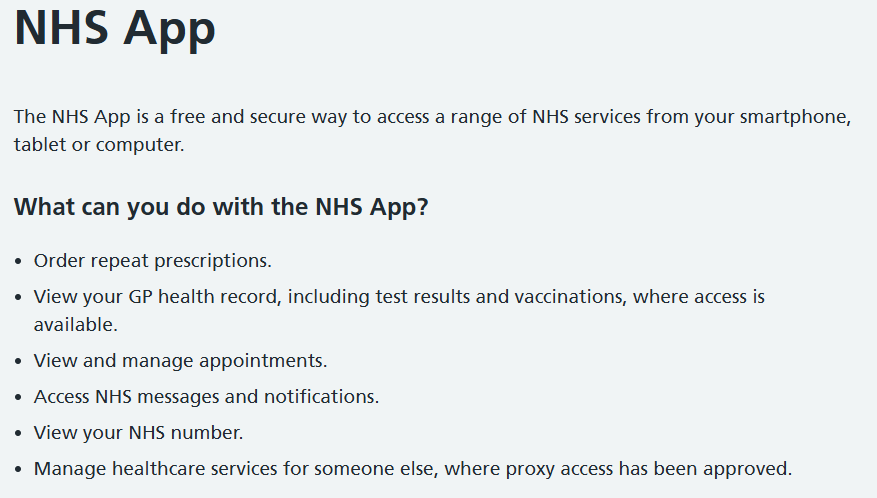
Will appear on your website as a collapsible Expander Box:
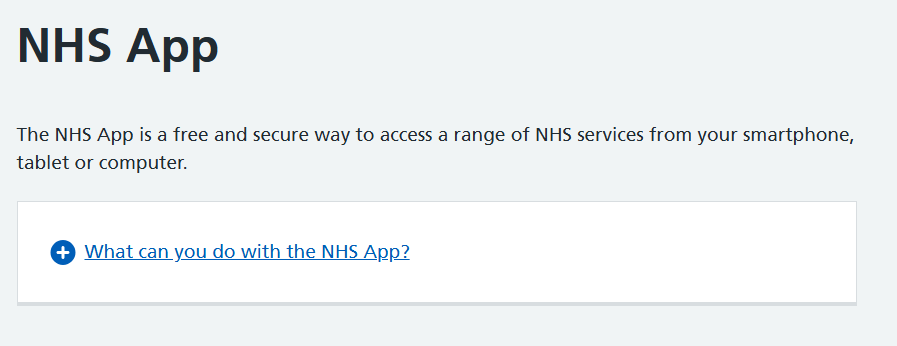
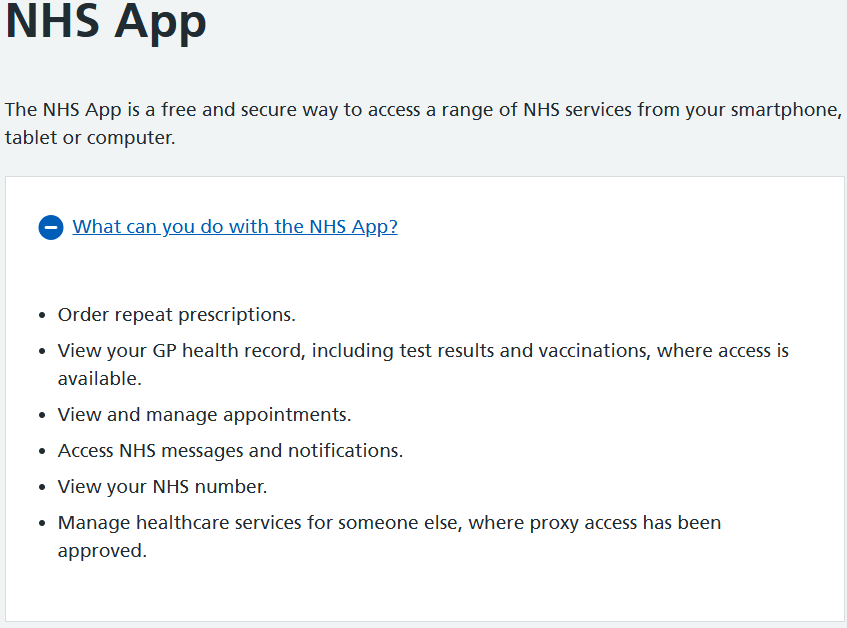
Visitors can click the + (plus) icon to expand the box and view the additional information.
Clicking it again will collapse the content.
How to add an Expander Box
- Open the page you wish to edit.
- Place your cursor where you want the Expander Box to appear.
- Click NHS Page Elements in the editor toolbar.
- Select Expander Box.
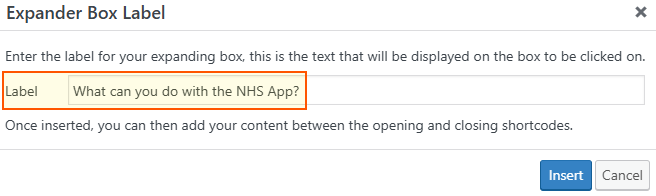
- Enter your chosen title in the empty Expander Box heading field, for example, What can you do with the NHS App?
- Click Insert to add the Expander Box to your page.
- Replace Insert content here with the information you want to display inside the Expander Box.

Important:
- Make sure the content inside the Expander Box uses the Paragraph format rather than a Heading format, to ensure the content displays with the correct styling.
- Keep all content between the opening [expander label=”Label Name”] and closing [/expander] shortcodes. Content placed outside these shortcodes will not appear inside the Expander Box.
- Do not remove or modify the shortcode brackets, as these are required for the Expander Box to work correctly.
- Click Update to save your changes.
Tip: Expander Boxes are particularly useful for FAQs, additional guidance and detailed information that visitors may not need to see immediately.
Was this helpful? Give it a thumbs up!