SurgeryWeb Support Centre
← Back to 'Home Page' articles 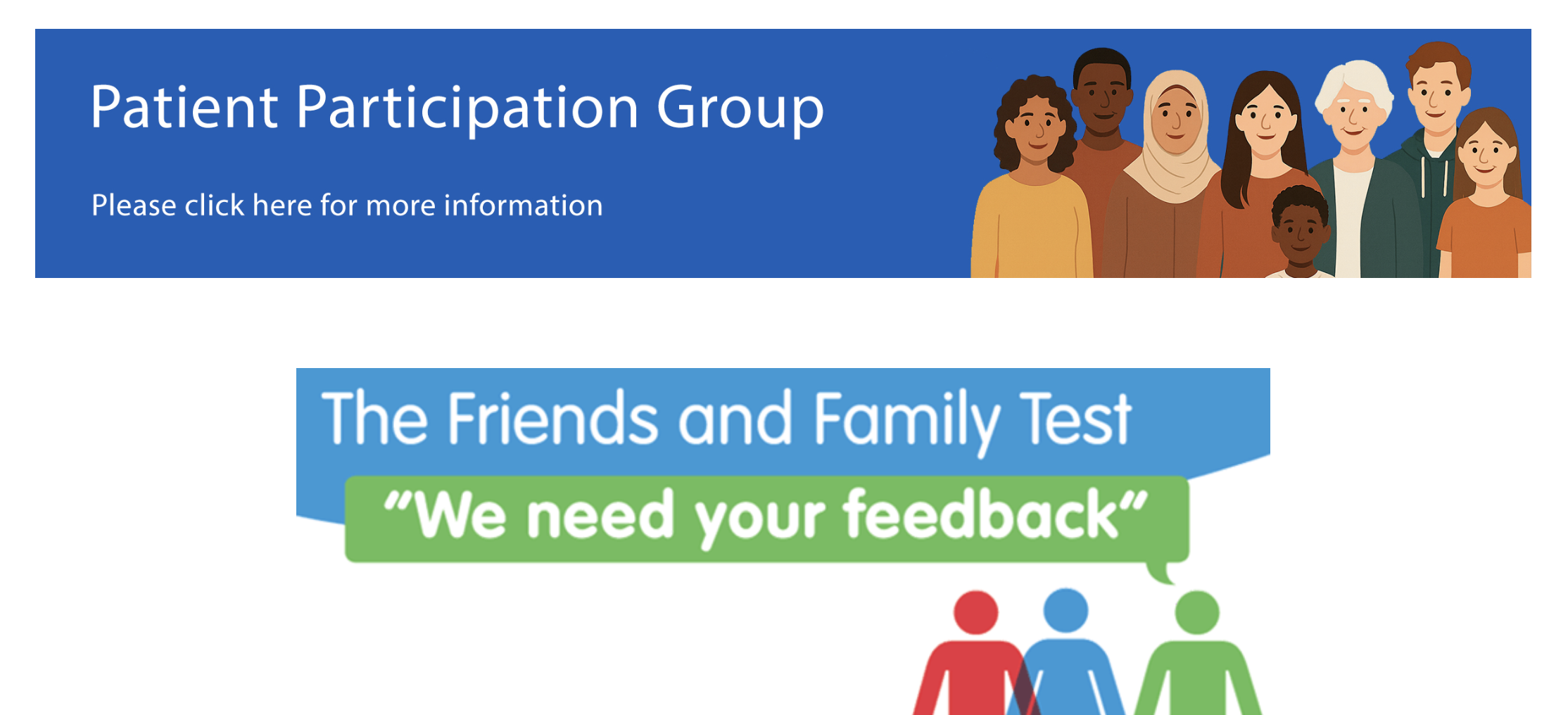
 ← Back to 'Home Page' articles
How to Show/Hide the FFT/PPG Features
You have the option to show or hide the Patient Participation Group (PPG) banner and the Friends and Family Test (FFT) banner on your website. The banners appear just above your footer.
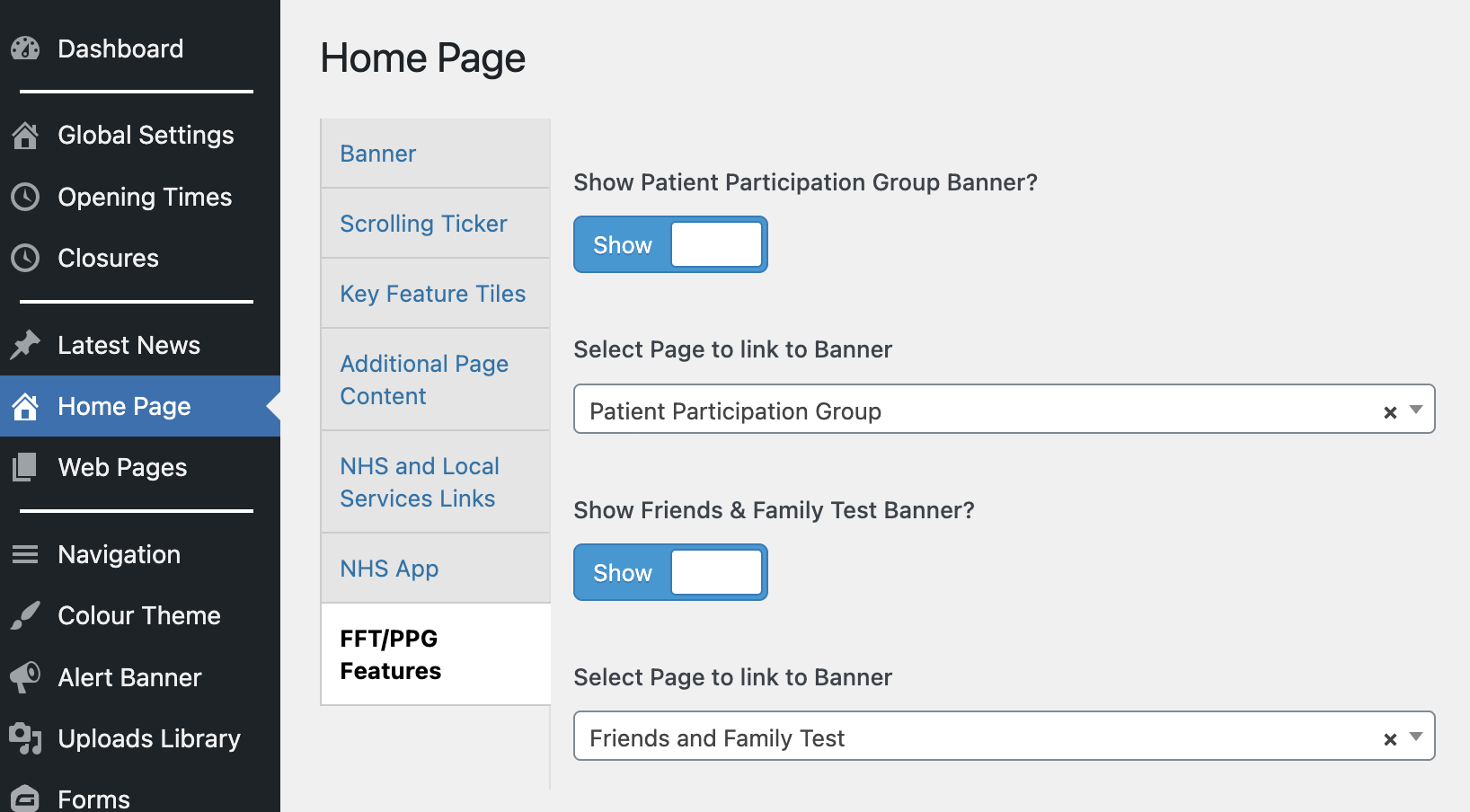
To hide or show the FFT or PPG banner, navigate to “Home Page > FFT/PPG Features” in your website’s dashboard.
You can use the toggle buttons to show or hide each banner and you can also select which page of your website you want the banner to be linked to when the banner is clicked.
Once you have set the banners to show on your website or be hidden, confirm your changes by selecting the “Update” button in the “Publish” section. Your website will now be updated with your changes.
Was this helpful? Give it a thumbs up!